The Ultimate Guide to Garage Door Remote Battery Sizes
Why a Dead Garage Door Remote Battery Shouldn’t Trap You Outside
A garage door remote battery is the small power source that makes your remote control work—and when it dies, your garage door won’t respond. Most remotes use CR2032 lithium coin batteries that last about two years, though some older models need A23 12-volt alkaline or 9V batteries. Signs your battery is dying include reduced range, intermittent operation, or no LED light when you press the button.
Quick Answer: Most Common Battery Types
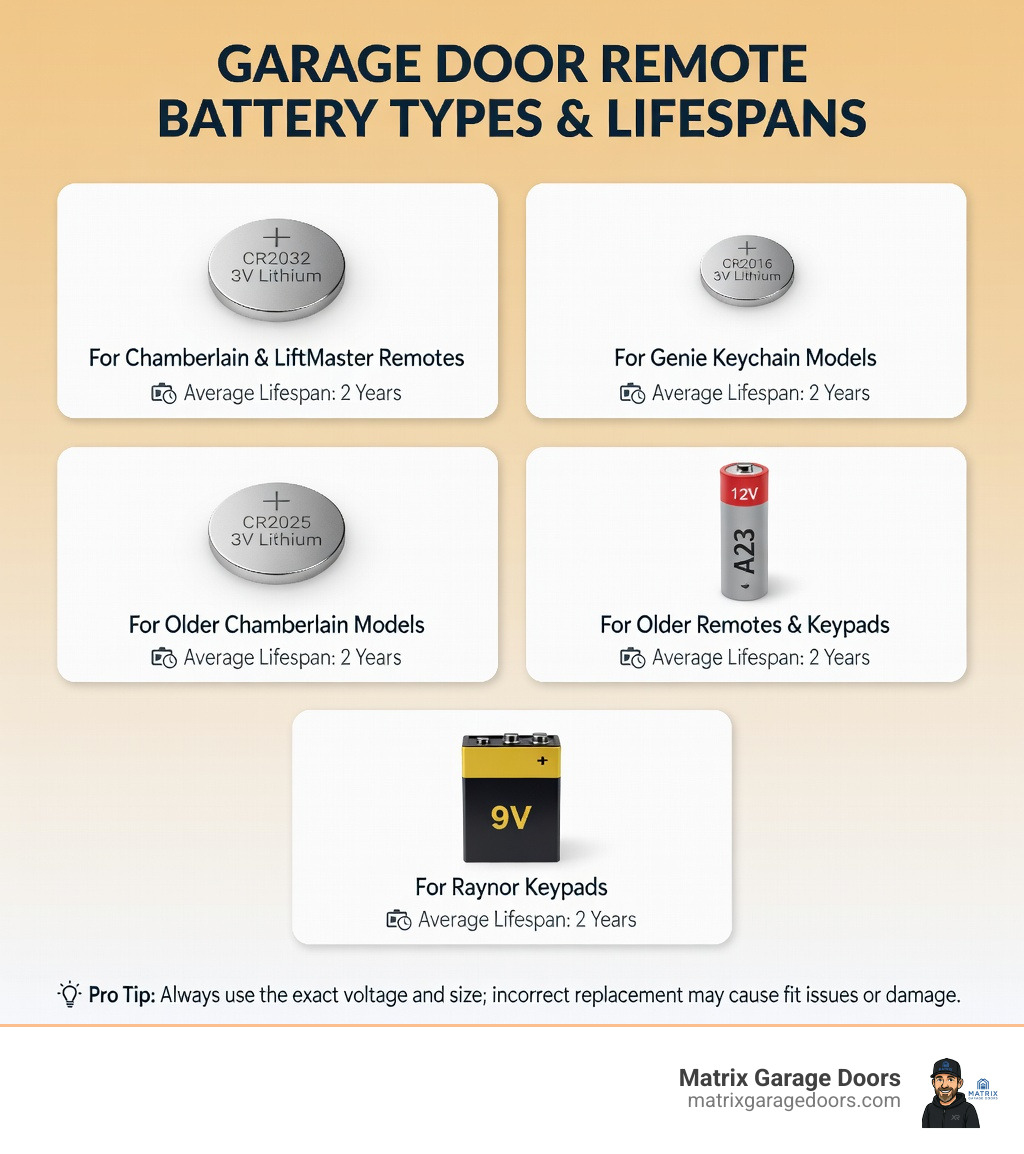
| Battery Type | Voltage | Common Brands | Typical Lifespan |
|---|---|---|---|
| CR2032 | 3V | Chamberlain, LiftMaster, Genie, Raynor | 2 years |
| CR2016 | 3V | Genie (keychain models) | 2 years |
| CR2025 | 3V | Older Chamberlain models | 2 years |
| A23 | 12V | Older remotes, keypads | 2 years |
| 9V | 9V | Raynor Max Universal keypad | 2 years |
You’re ready to leave the house, garage door remote in hand, and press the button. Nothing. Not a sound. If you’ve been there, you know how frustrating a dead battery can be—especially when you’re running late or stuck in bad weather.
Replacing your garage door remote battery is simple: Open the case with a small screwdriver or coin, note the battery type printed on the old battery, insert a new one with the positive (+) side facing up, close the case, and test. You usually don’t need to reprogram the remote afterward.
The good news? Replacement takes about two minutes once you know which battery you need. The challenge is that different garage door remote brands use different battery sizes, and installing the wrong type or orientation means your remote still won’t work.
I’m Andrew Hopson, and through years of residential garage door work throughout the Columbus area, I’ve seen countless homeowners struggle with garage door remote battery issues that turned out to be simple fixes. This guide will help you identify your exact battery type, replace it correctly, and troubleshoot any problems that come up.
Common Garage Door Remote Battery Types and Sizes
Understanding the different types of batteries used in garage door remotes is the first step toward a successful DIY fix. While modern remotes have largely standardized on lithium coin cells, there is still quite a bit of variety depending on the age and brand of your system.
Most modern remotes transmit signals via battery power using high-density lithium-ion cells. These are preferred because they hold a steady voltage for a long time and perform better in the fluctuating temperatures of a garage or vehicle.
| Battery Size | Chemistry | Voltage | Typical Use Case |
|---|---|---|---|
| CR2032 | Lithium | 3V | The “Gold Standard.” Used by LiftMaster, Chamberlain, and Raynor. |
| CR2016 | Lithium | 3V | Thinner coin cell; often used in pairs or in small keychain remotes. |
| CR2025 | Lithium | 3V | Slightly thinner than the 2032; found in older Chamberlain models. |
| A23 | Alkaline | 12V | Small cylindrical battery; found in older models and some keypads. |
| 9V | Alkaline | 9V | Standard rectangular battery; primarily used in wireless keypads. |
If you are unsure where to start looking for a replacement, you can find a wide selection of Garage Door Opener – Batteries at local hardware stores in the Columbus area. Keeping a spare on hand is one of our top Garage Door Maintenance Tips to avoid getting locked out.
Identifying Your Specific Garage Door Remote Battery
Don’t guess which battery you need! The easiest way to identify your garage door remote battery is to look at the battery currently inside the remote.
- Check the Battery Code: Every lithium coin cell has a four-digit code engraved on the surface (e.g., CR2032). These numbers aren’t random—they indicate the diameter and thickness in millimeters.
- Look for Markings: Most remotes have the required battery type embossed on the plastic inside the battery compartment.
- Consult the Manual: If the markings are worn off, your user manual will specify the exact voltage and size.
- Coin Cell vs. Alkaline: If your battery looks like a silver coin, it’s a lithium cell. If it looks like a miniature AA battery, it’s likely an A23 12-volt alkaline.
If you find that your remote is physically damaged or the battery contacts are corroded beyond repair, you may need professional Garage Door Services to source a compatible replacement remote.
Brand Compatibility for a Garage Door Remote Battery
Compatibility varies significantly between the big manufacturers. For example, a Chamberlain remote from 2010 might use a different battery than a model released last year.
- Chamberlain and LiftMaster: These industry giants almost exclusively use the CR2032 for their standard three-button remotes. However, some older models or specialized multi-button remotes may still utilize the CR2025 or even the A23 12-volt.
- Genie: Genie is known for its “Intellicode” keychain remotes. These smaller devices often use the CR2032 or the thinner CR2016. Some of their larger, traditional remotes still use the A23.
- Raynor: The Raynor Max 3 handheld transmitter typically uses a CR2032. Interestingly, their wireless keypads (like the Max Universal) often require a heavy-duty 9V battery to power the backlit buttons.
Using the wrong voltage—even if the battery fits—can prevent the remote from syncing with the opener. If you’ve tried the right battery and the door still won’t budge, it might be time for more involved Garage Door Repairs.
Signs Your Battery Needs Replacing
Batteries don’t always just “die” instantly. Often, they give you several warning signs over a few weeks. Recognizing these early can save you from a “nothing happens” moment in your driveway.
- Reduced Range: If you used to be able to open the door from down the street but now have to be right in front of the garage, your battery is likely losing its “push.”
- Intermittent Operation: You press the button, and nothing happens. You press it again, and it works. This inconsistency is a classic sign of a low-voltage garage door remote battery.
- LED Indicator Failure: Most remotes have a small light that flashes when you press a button. If this light is dim, flickers, or doesn’t turn on at all, the battery is nearly spent.
- Slow Response Time: If there is a noticeable lag between pressing the button and hearing the motor start, the signal strength is likely weak.
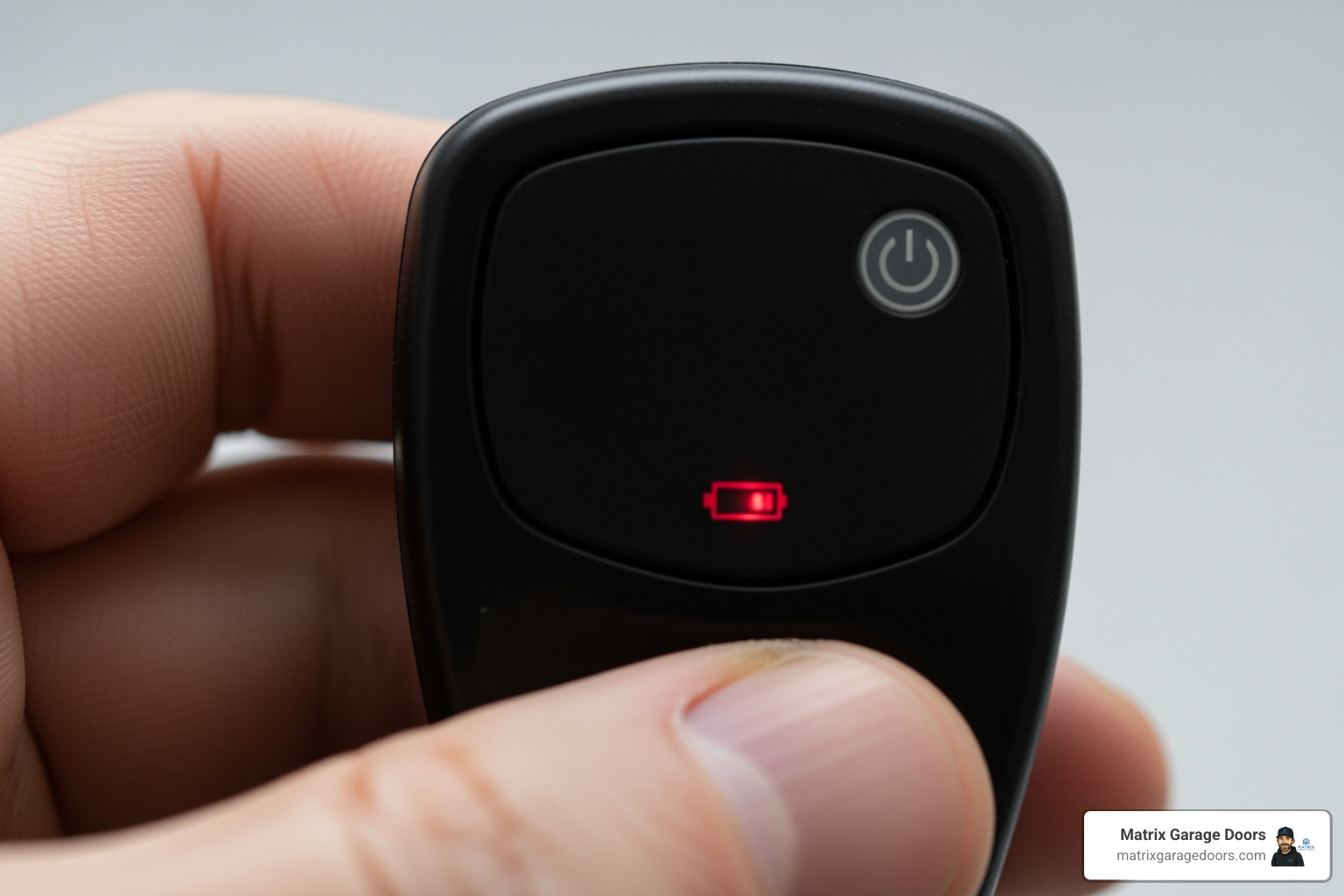
Regularly checking these signs is part of a healthy Annual Garage Door Service Guide. In our experience in Hilliard and Upper Arlington, we find that the cold Ohio winters often reveal these weaknesses earlier than expected!
Step-by-Step Guide to Replacing Your Garage Door Remote Battery
Ready to fix it? Most garage door remotes are designed to be user-serviceable. Here is how we recommend doing it:
Tools Needed:
- A small Phillips or flathead screwdriver (depending on the remote model).
- A coin (for prying open “snap-fit” cases).
- Your new garage door remote battery.
The Process:
- Open the Case: Look for a small screw on the back. If there isn’t one, look for a small notch along the side of the remote. Insert a coin or flathead screwdriver into the notch and gently twist to pop the two halves apart.
- Remove the Old Battery: Take note of which way the battery is facing. Most coin cells are installed with the positive (+) side facing up.
- Clean the Contacts: Use a dry cloth or a cotton swab with a tiny bit of rubbing alcohol to wipe the metal contacts inside the remote. This ensures a strong electrical connection.
- Insert the New Battery: Slide the new battery into place. Ensure it is firmly seated.
- Snap the Case Shut: Align the two halves and press them together until you hear a click. If there was a screw, replace it now.
- Test the Remote: Stand near the garage door and press the button.
For a visual walkthrough, you can watch this Replace Your Garage Opener Remote Battery – EASY DIY – YouTube video. If the remote feels physically “mushy” or the internal circuit board looks damaged, you might need more comprehensive Garage Services and Repairs.
Troubleshooting After Installing a New Garage Door Remote Battery
What if you put in a fresh battery and… still nothing? Don’t panic. There are a few common reasons for this:
- Incorrect Orientation: Double-check that the plus (+) side is facing the correct direction. It’s the most common mistake we see!
- Reprogramming Needed: While rare, some remotes lose their “handshake” with the opener if the battery was dead for a long time. You may need to press the Learn button on your opener motor and then press the remote button to resync them.
- Lock/Vacation Mode: Check your wall-mounted control panel inside the garage. If the “Lock” or “Vacation” button was accidentally pressed, the remotes will be disabled even with fresh batteries.
- Signal Interference: Household electronics or even certain LED light bulbs can create radio frequency interference that blocks the remote’s signal.
If you’ve checked these and are still stuck, our FAQs page covers several other common opener glitches.
Maximizing Battery Life and Proper Disposal
In normal residential use, a garage door remote battery should last about two years. However, in places like New Albany or Powell, OH, the weather plays a huge role.
Temperature Impact: Extreme cold is the enemy of battery chemistry. When the temperature drops during a Columbus winter, the chemical reactions inside the battery slow down, reducing the available voltage. If your remote is left in a car overnight in sub-zero temperatures, don’t be surprised if it struggles the next morning.
Maintenance Tips:
- Store Spares Correctly: Keep your spare batteries in a cool, dry place inside the house—not in the glove box where they’ll be exposed to extreme heat and cold.
- Clean Contacts: If you notice any white powdery residue (corrosion) inside the remote, clean it immediately to prevent it from eating through the circuit board.
Proper Disposal: Lithium and alkaline batteries shouldn’t just be tossed in the kitchen trash. They contain materials that can be hazardous to the environment. We encourage all our neighbors to find a recycling location near you at local hardware stores or community centers.
For more tips on keeping your entire system running smoothly, check out The Ultimate Guide to Preventative Garage Door Care.
Frequently Asked Questions about Garage Door Remote Batteries
Do I need to reprogram my remote after changing the battery?
In 90% of cases, no. The garage door opener’s motor has a non-volatile memory that “remembers” your remote’s unique code even when the remote has no power. However, if the battery has been dead for months or if there was a major power surge, you might lose the sync. If that happens, simply locate the “Learn” button on the back of the opener motor, press it until the light blinks, and then hold the button on your remote.
Keeping your remote synced is much easier if the opener hardware is well-maintained, which is why we offer a specialized Garage Door Lubrication Service to keep the mechanical parts from straining the electronic ones.
How long does a typical garage door remote battery last?
The industry standard is about two years. Lithium-ion batteries (like the CR2032) are incredibly durable, but their lifespan depends on usage frequency. If you have a large family with four cars coming and going all day, you might find yourself replacing them every 12 to 18 months. Conversely, some users report batteries lasting 10 years in remotes that are rarely used!
For a breakdown of what to expect for maintenance costs, see our Garage Door Service Prices Guide.
Can signal interference mimic a dead battery?
Absolutely. This is a “phantom” problem we see often in busy areas like Dublin or Westerville. If you have recently installed cheap LED light bulbs in your garage or near the opener, they can emit radio frequency interference that “drowns out” the remote’s signal. This makes it feel like the battery is dead because you have to get closer and closer to the door for it to work. Before buying a new battery, try turning off the garage lights and testing the remote again.
Conclusion
A dead garage door remote battery is a small problem that causes a big headache, but it’s one of the easiest DIY tasks you can perform as a homeowner. By identifying the correct battery code (usually CR2032 or A23), ensuring the correct polarity, and keeping the contacts clean, you can restore your home’s convenience in minutes.
At Matrix Garage Doors, we are a family-owned company based right here in Columbus, OH. With over two decades of experience, we specialize in 24/7 emergency residential garage door repair, installation, and maintenance. Whether you are in Bexley, Grove City, or Worthington, we are committed to providing professional, prompt service that guarantees your satisfaction.
If a battery change didn’t solve your problem, or if you’re ready to upgrade to a modern, smartphone-controlled system, contact us for a professional Garage Door Opener Installation. We’re here to ensure your garage door is the most reliable part of your home!